Discovery call
Agree on scope: which tools, which workflows, which approval thresholds.
Connect your tools
Authentication and scoped permissions configured for each integration.
Configure agent behaviour
What the agent monitors, drafts, summarises, and when.
Build approval flows
Per-workflow gates: what requires your sign-off, what can run automatically.
Test before go-live
Drafts reviewed in a test environment before anything touches your live channels.
Ongoing iteration
Adjust workflows, add integrations, tune thresholds as you learn what works.
It starts with a discovery call
The first step is understanding what you need. We cover which tools you use, which workflows take the most time, and what approval thresholds you want. The call is not a sales pitch. It is an intake process. By the end, we have an agreed scope: integrations to build, workflows to configure, and what the agent will and will not touch.
Most setups cover two to four workflows first. That is enough to get meaningful time back without overbuilding. Additional workflows come after you have used the system and know what else you want.
Connecting your tools
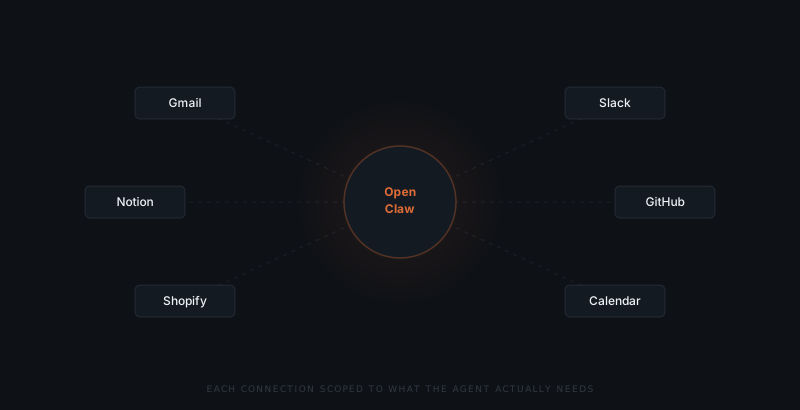
OpenClaw connects to the tools you already use. Gmail for email monitoring and sending. Slack as the primary interface where drafts and approvals surface. Notion for document creation and database updates. GitHub for issue logging and pull request reading. Shopify for order and inventory data. Google Calendar for scheduling context. We handle authentication and configuration for each. No code, no API keys.
Each tool connection is scoped to what the agent actually needs. A read-only calendar connection cannot create or modify events unless configured to. Scoping is not just good security practice — it is what keeps the system predictable. The agent does only what it was set up to do.
Configuring what the agent does
After connecting integrations, we configure the agent's behaviour: what it monitors, what it does proactively versus reactively, what schedules it runs on, and what it drafts versus summarises. A common starting configuration: email monitoring that surfaces drafts for approval, a daily summary at a fixed time, and one or two reactive workflows — triggered by a new ticket, an unpaid invoice, a low-stock alert.
Each workflow is documented in plain language. You get a summary of what is active: what the agent watches, what it produces, what requires your approval, and what happens if you do not respond.
Building the approval flows
Approval flows are configured per workflow, not globally. The default for anything that sends or modifies external data is approval-first.
| Workflow type | Approval default |
|---|---|
| Read-only summaries and digests | Automatic — no sign-off needed |
| Replies to client or prospect emails | Approval required |
| Follow-ups to unpaid invoices | Approval required |
| External writes (GitHub, Notion, Shopify) | Approval required |
The approval interface surfaces in Slack as a formatted message with the draft content, trigger context, and a button to approve, edit, or dismiss.
The enforcement is at the infrastructure level. The agent does not have a default send mode you can accidentally leave on. Every external action is gated unless explicitly configured to be automatic — and for almost everything that sends or modifies, the default is approval-first.
Testing before you go live
Before the system touches your live channels, we run it in a test environment. Drafts are generated and reviewed but not sent. Integrations are verified. Edge cases are handled: what the agent does when it lacks context, when a scheduled workflow fails, what the fallback is in each case.
Testing takes days, not weeks. It matters. Going live with untested approval flows creates noise and erodes trust in the system fast.
By the time you are using it in production, the agent's behaviour should already feel familiar.
What happens after setup
Once live, ClawBuilt stays on as the implementation partner. If a workflow needs adjusting — the approval threshold is wrong, a new tool needs connecting, the daily summary format needs changing — we make the change. You do not manage the configuration yourself.
Most teams discover one or two workflow additions in the first few weeks. Expected. The setup call scopes the first implementation; what you learn from using the system scopes what comes next.