Email that doesn't pile up
By the time the inbox is processed, the morning is half gone. OpenClaw connects to Gmail and handles the first pass: newsletters and automated notifications are filtered, support requests are triaged, and new enquiries are flagged with context. What surfaces in Slack is the small set of emails that actually need you.
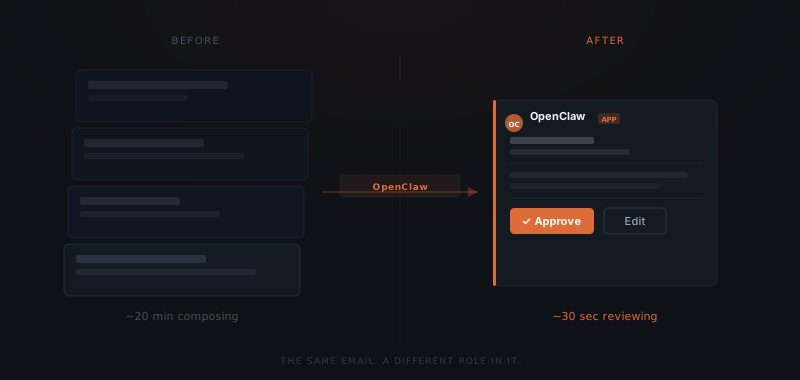
For replies, it drafts in your voice — pulling context from the thread, the client history, and the tone of previous emails you have approved — and waits. You review in Slack, approve or adjust, and it sends from your Gmail account.
Proposals and follow-ups without the friction
The follow-up is where most agencies lose deals quietly. A prospect goes silent after the proposal. The week fills up. You mean to follow up but there is always something more pressing. Ten days pass. The prospect has moved on — not because they were uninterested, but because someone else was faster.
OpenClaw tracks open proposal threads and flags them at the interval you set. When a proposal has not received a reply after three days, a draft follow-up appears in Slack. You approve it or skip it. The work is done — you just decide.
For the proposals themselves: OpenClaw takes your source material — a brief, a set of notes, a conversation summary — drafts in Google Docs, and sends to the prospect with your approval at each step. You are not writing from a blank page. You are reviewing a first draft.
Client reports that go out on time, every time
Set up the report configuration for each client once — which data sources to pull, which metrics to include, what format they prefer. After that, every Monday morning the draft is already waiting in Slack: numbers pulled from Google Sheets, narrative written, ready for your review. You scan it, adjust anything that looks off, and approve. The client gets their report before they have started their own week.
When you realise you forgot the Friday report, the draft is already waiting. You review it — not produce it from memory. The report cadence you promised clients at the start of the engagement is the one they actually receive.
What used to take twenty minutes of composing takes thirty seconds of reviewing.
CRM that actually stays current
That CRM entry you meant to update after Tuesday's call — still not done. It will get there eventually — or it will not, and the next person to open that record will be working from stale information. CRM data goes stale because updating it is friction. After a call, you are already on to the next thing.
OpenClaw updates deal stages, logs call notes, and keeps contact records current — via browser automation, so it works with any CRM. You can also do it conversationally: tell it what happened on the call, it makes the update and confirms. The record is current before you have moved on.
Meeting prep in under a minute
Before a client call, the relevant context is usually scattered: an email thread from last week, a Google Doc with the original brief, a calendar note from the last meeting. OpenClaw pulls all of it and delivers a summary to Slack ten minutes before the call starts.
You walk in knowing the history — without spending ten minutes digging for it.
New client onboarding without the checklist
When a new client signs, a sequence needs to run. None of it is hard. All of it is easy to miss when you are managing three other things.
Welcome email
Sent from your account, personalised to the engagement, approved before it goes out.
Project folder created
Structured in Google Drive or Notion per your template, shared with the client.
Kick-off scheduled
Draft invite sent with agenda, using your calendar availability.
Briefing doc shared
Pre-populated with what you know from the sales conversation, ready for their input.
OpenClaw triggers the full sequence from a single event — a Stripe payment, a signed contract, a Slack message. Each step runs in order, with your approval. The next step does not start until you confirm the previous one. You get a notification when the sequence is complete, not a list of tasks to work through.