Where real estate pipeline leaks
An offer was submitted on Monday. The buyer wants to know where things stand. The agent is focused on a showing that afternoon and a closing the following morning. The buyer does not hear anything by Thursday.
That is not a sales problem. The agent knows the file, knows the buyer, and would have answered in three minutes if prompted. The problem is that no one prompted. The follow-up that would have taken three minutes to send never got sent.
Independent agents and small brokerages managing 15–30 active leads cannot maintain consistent contact across every thread. A lead in the viewing stage needs different follow-up than a lead waiting on a mortgage decision. A referral introduction from last week needs a reply before it goes cold. At 20 active leads, keeping the right follow-up on each one requires a system.
What OpenClaw monitors in a real estate pipeline
OpenClaw connects to the CRM and the email inbox. OpenClaw tracks each lead's stage in the pipeline and the last point of contact. When contact lapses beyond the threshold for a stage, OpenClaw flags the lead and queues a draft.
OpenClaw monitors four pipeline events:
| Event | What OpenClaw drafts |
|---|---|
| Stale lead | A follow-up when contact has lapsed beyond the defined threshold for that pipeline stage |
| Viewing request | A confirmation and next-step message when a viewing enquiry arrives |
| Document chase | A reminder when a required document has not been returned within three days |
| Referral introduction | A first reply when an introduction email arrives from a known contact |
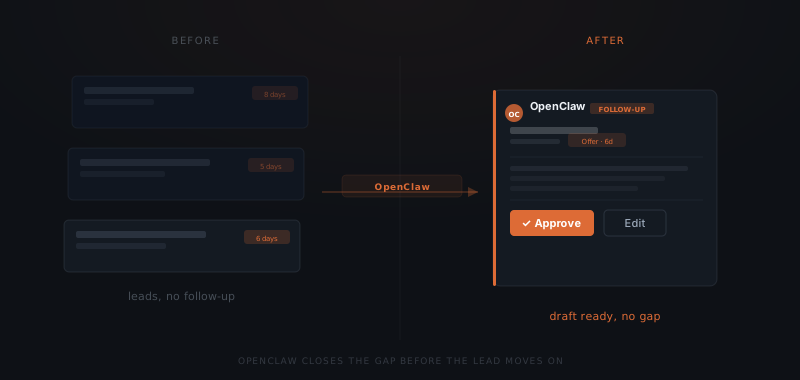
The draft follow-up for each pipeline event
The deal was alive on Monday. By Thursday, the lead had gone with someone who replied first.
For each flagged event, OpenClaw drafts the message. OpenClaw uses the lead's name, the pipeline stage, and the conversation history to calibrate the draft.
A buyer waiting on a mortgage decision gets a different draft than a buyer two days into an offer. A referral introduction from a long-standing contact gets a warmer opening than one from a newer source. OpenClaw does not apply a single template to every pipeline event. The draft reflects the context of each lead.
The draft appears in the Slack approvals channel with the original trigger. That includes the CRM stage, the days since last contact, and the relevant thread. The agent sees exactly why OpenClaw flagged the lead before deciding whether to approve.
The approval step before any contact is made
OpenClaw monitors the pipeline and drafts the follow-up — but OpenClaw does not contact leads automatically. Every draft surfaces in the Slack approvals channel before it reaches anyone. The agent approves, edits, or dismisses. Nothing sends without that sign-off. That constraint is enforced at the infrastructure level — there is no configuration that allows OpenClaw to send on its own.
The approval step is where context gets added. A lead OpenClaw flags as stale might be in a quiet period the agent agreed to informally. An offer follow-up drafted for Thursday might be premature if the agent knows the response is coming by Friday. The agent dismisses the draft, adds a note, and OpenClaw resurfaces it at the right moment.
The approval process across 20 active leads takes 10–15 minutes per morning. The agent reviews the queue, approves what is right, and edits what needs adjustment. Drafts that are not yet relevant get dismissed.
The pipeline visibility OpenClaw builds over time
Every contact event is logged: the lead, the stage, the draft, the approval decision, and the send timestamp. After 60 days, that log covers every touchpoint in the pipeline — including drafts that were dismissed and why.
Most independent agents track their pipeline in a CRM but not the communication patterns around it. The CRM shows where each lead is. OpenClaw's log shows how long each stage took and which follow-up types produced a response. The log also records where leads went cold before a decision.
A lead that converts after a document-chase follow-up is one data point. Twelve of them across four months is a pattern that changes how the agent prioritises the pipeline. The pattern is invisible without the log. OpenClaw builds the log as a side effect of running the follow-up.